








)
)
Why Are Enterprise Remote Access Solutions Expensive by Design?
Enterprise remote access platforms are not expensive by accident. They are designed around the operational realities of large organizations, where thousands of users, global availability requirements and complex identity infrastructures are assumed from the outset. For small and medium businesses, those assumptions translate directly into unnecessary cost.
Licensing Models Optimized for Large Enterprises
Most enterprise platforms rely on per-user or per-subscription licensing, which scales linearly with headcount rather than actual usage. Solutions such as Citrix or enterprise VDI stacks are priced for organizations which expect continuous growth and fluctuating user populations.
For SMBs, this model often results in paying for dormant accounts, seasonal users or capacity which ends up being rarely used.
Infrastructure Layers Driving Cost and Complexity
Enterprise remote access commonly requires multiple mandatory components: access gateways, connection brokers, management databases, redundancy nodes and monitoring services. Even Microsoft’s own Remote Desktop Services stack, built around Microsoft technologies, assumes a multi-role server architecture once scaled beyond basic use.
Each additional layer introduces:
- More servers to license and maintain
- More points of failure to monitor
- More expertise requirement to operate the platform securely
Operational Overhead Built into Enterprise Platforms
Beyond licensing and infrastructure, enterprise tools carry a hidden cost in administration time. Routine tasks such as updates, certificate management, access policy changes and troubleshooting usually require specialized knowledge. For SMB IT teams, this operational overhead can outweigh the technical benefits of the platform itself.
Going Beyond the Reasons for Expensive Licenses
Enterprise remote access solutions generally come with per-user licensing, multiple infrastructure layers and high operational overhead built in by default. TSplus founder Dominique Benoit identified these as sources of pointless expense and looked into how to address this. What do SMBs need for secure remote access? Let us explore how businesses can meet security and usability requirements without full virtualization stacks.
What Does “Enterprise-Grade” Really Mean for Remote Access?
The term “enterprise-grade” is frequently used but rarely defined. In practice, enterprise-grade remote access refers to a specific set of capabilities, not to platform size or cost.
Core Security Controls Which Matter Most
From a security standpoint, enterprise-grade remote access typically includes:
- Encrypted connections (TLS)
- Strong authentication mechanisms including MFA
- Granular access control and session isolation
- Centralized policy enforcement
These controls are essential, but they do not inherently require large-scale VDI architectures or subscription-heavy platforms.
How can RDP be secure enough for business use?
Within the right architecture and properly configured with encryption, MFA and access controls, RDP can meet enterprise-grade security requirements.
Availability vs Over-Engineering
High availability is critical in large enterprises with 24/7 global operations. For many SMBs, however, designing for zero downtime across multiple regions introduces cost without proportional value. Enterprise platforms often bundle these assumptions by default, regardless of whether the organization needs them.
Compliance Requirements vs Feature Accumulation
Compliance is another area where cost escalates quickly. Enterprise platforms often include extensive logging, reporting and integration features aimed at regulated industries. SMBs with lighter compliance requirements may only need a subset of these capabilities. Yet they often still pay for the entire feature set.
Where Do Small and Medium Businesses Commonly Overpay?
When adopting enterprise remote access tools, SMBs often over-invest in areas set to deliver little operational benefit.
Identity and Access Complexity
Advanced identity federation, cross-directory synchronization and conditional access policies are powerful tools. However, for organizations with limited directories and well-defined user groups, this level of complexity can increase both cost and misconfiguration risk.
Virtualization and Abstraction Layers
Full application virtualization and multi-cloud abstraction layers are designed to standardize access across massive environments. In SMB scenarios, these layers often duplicate functionality already provided by the operating system, adding cost without improving usability or security.
Scaling Assumptions Misaligned with SMB Reality
Enterprise platforms are designed to scale rapidly across thousands of users. SMB growth is usually incremental and predictable. Paying for elasticity that may never be used is one of the most common sources of unnecessary spend.
How Directly Does Remote Access Architecture Impact Cost and Security?
Remote access costs are driven less by individual features than by the architecture required to deliver them. Enterprise platforms are designed around large-scale assumptions that make sense for global organizations, but those same assumptions introduce infrastructure layers that directly increase cost, complexity and long-term operational effort.
Architecture, Not Features, As the Primary Cost Driver
Enterprise remote access solutions are built to support environments with thousands of users, continuous uptime requirements and distributed access patterns. To meet those demands, security and availability responsibilities are split across multiple dedicated components, each with its own role.
In a typical enterprise architecture, this often includes:
- A connection broker to manage session allocation
- One or more gateways to control external access
- Dedicated authentication and identity services
- Separate management and monitoring components
- Redundancy layers for high availability
Each additional layer increases licensing requirements, infrastructure footprint, and administrative workload, even when actual usage remains limited.
Enterprise Assumptions vs SMB Reality
For small and medium businesses, the architectural requirements are usually far lighter. Secure remote access still requires strong encryption, controlled authentication and clear access boundaries, but it rarely demands the same scale or redundancy.
In practice, most SMB environments prioritize:
- Predictable and secure access to internal applications
- Incremental scaling rather than elastic, global expansion
- Manageability by small IT teams
- Cost structures aligned with actual infrastructure, not peak headcount
When enterprise-scale architectures are applied to these environments, organizations often pay for capabilities designed to solve problems they do not face.
When Architectural Complexity Increases Risk
From a security perspective, additional layers do not automatically result in stronger protection. Each extra service, endpoint or management interface expands the attack surface and introduces new configuration dependencies.
Common side effects of overly complex architectures include:
- Increased risk of misconfiguration
- More exposed services to monitor and secure
- Harder-to-audit access paths
- Greater reliance on specialized expertise
In contrast, simpler architectures often make security controls easier to understand, enforce and audit. This is particularly true in environments where responsibilities are shared across small teams.
Application Publishing as an Architectural Choice
Architectural decisions also determine how much access users actually receive. In many business workflows, users do not require full desktop access to perform their tasks. Publishing only the necessary applications can significantly reduce both cost and exposure.
This approach typically delivers:
- Lower resource consumption per user
- Reduced privilege exposure
- Clearer access boundaries
- Simpler policy enforcement
By narrowing the scope of access, application publishing becomes a structural way to improve security and efficiency, not merely a convenience feature.
HTML5 simplicity:)
Understanding the Trade-Offs
The difference between enterprise-grade remote access and enterprise-priced remote access lies in how many infrastructure layers are required to deliver core security controls. Evaluating these architectural trade-offs is essential for organizations that want secure remote access without inheriting unnecessary complexity and cost.
How Do TSplus Re-Engineer the Cost Model for SMBs?
TSplus approaches remote access from a different starting point: what SMBs actually need to deliver secure, reliable access to Windows applications and desktops.
RDP-Native Architecture Instead of Full VDI Stacks
TSplus builds directly on the Remote Desktop Protocol rather than replacing it with a full virtualization layer. This approach preserves core enterprise-grade security mechanisms while avoiding the additional infrastructure required by large VDI platforms.
What's in the box:
)
Predictable Licensing Without User-Based Inflation
Instead of per-user subscriptions, TSplus offers server-based and perpetual licensing options. This model aligns cost with infrastructure rather than fluctuating headcount, giving SMBs predictable long-term expenses and easier capacity planning.
Lower Operational and Administrative Overhead
By reducing the number of required components, TSplus simplifies deployment, updates and day-to-day administration. Fewer moving parts mean fewer configuration errors, faster troubleshooting and less reliance on external consultants.
In a Nutshell:
How does TSplus reduce total cost of ownership?
By simplifying architecture, avoiding per-user licensing inflation and reducing administrative overhead.
Can TSplus scale as an SMB grows?
Yes: TSplus supports incremental scaling without forcing businesses into enterprise licensing models prematurely. Straightforward and intuitive server farm potential:
)
When Simpler Architecture Improves Security
Complexity is not neutral from a security perspective. In many cases, it increases risk.
Reduced Attack Surface
Each additional service, gateway or management interface introduces a new potential entry point. A simpler architecture limits exposure, making it easier to secure and monitor access paths.
Easier Policy Enforcement and Auditing
With fewer layers, access policies are clearer and easier to audit. SMB administrators can more effectively enforce least-privilege access without navigating multiple overlapping control planes.
Additional Security Made for Application Publication Servers
Built to protect application publication servers, TSplus Advanced Security comes as an excellent guarantee for peace of mind to face the full scope of cyber threats. Simple and solid, this is the armour fit for any remote infrastructure providing remote access to global users.
360° protection:
)
Choosing Enterprise-Grade Remote Access Without Enterprise Overhead
For SMBs, the goal is not to replicate enterprise IT environments but to adopt enterprise-grade principles in a proportionate way. Before selecting a remote access solution, decision-makers should ask:
- Which security controls are mandatory for our risk profile?
- How does licensing scale as the business grows?
- What operational burden will this platform introduce over time?
Enterprise-grade remote access does not have to imply enterprise-level cost. By aligning architecture, licensing and operational complexity with SMB realities, organizations can achieve secure remote access that scales sustainably.
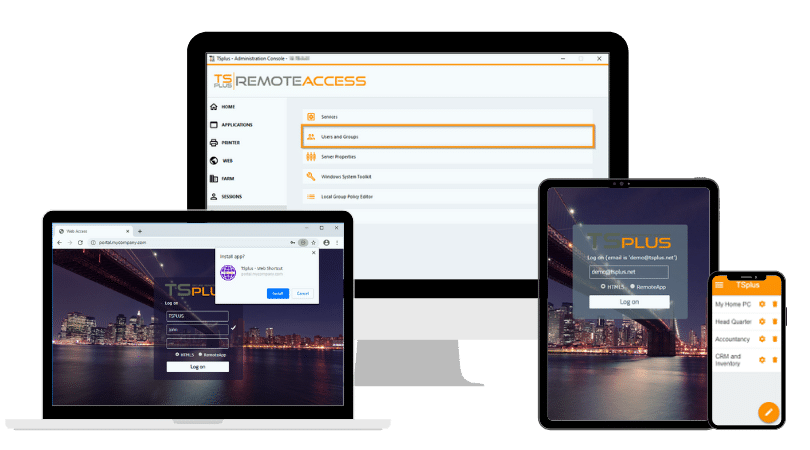
TSplus Remote Access Free Trial
Ultimate Citrix/RDS alternative for desktop/app access. Secure, cost-effective, on-premises/cloud
)
)
)
